Following fifty-fives from Rahmat and Omarzai, Afghanistan collapsed to 266 all out after losing 6 for 43.
In the third and final One-Day International in Pallekele, Sri Lanka easily defeated a seemingly difficult goal of 267, scoring it in just 35.2 overs. This victory ensured a 3-0 whitewash of the series.
With 346 runs in a three-match series, Pathum Nissanka became the highest run scorer for Sri Lanka after recording his second century in three games. Here, he scored 118 off of 101 balls, becoming the fastest Sri Lankan to reach 2000 ODI runs in 53 games—11 fewer than Upul Tharanga, who was the next fastest.
However, for the majority of his innings, Nissanka was content to be the man in support as Avishka Fernando, with a furious 91 off 66 balls, broke the back of the chase. After giving away his usual early opportunity, an inside edge on 10 that Ikram Alikhil could not hold onto and which ultimately resulted in a finger injury that prevented him from playing at all, Avishka punished the Afghans with an innings that featured 10 fours and five sixes.
With four of the five sixes coming up short of a length, Afghanistan did themselves no favours as Avishka plucked them up over the leg side with contempt. He missed a fourth ODI century due to a mistimed drive for extra cover, but by then Sri Lanka had amassed 173 runs, their second opening stand of the series of 150 or more.
But once he was fired, Nissanka increased his scoring rate and Kusal Mendis joined in on the fun, so the attack just became worse. Despite just needing 55 deliveries to reach their 78-run partnership, both of them fell quickly after failing to sustain the chase to the end.
With 88 balls remaining, Sri Lanka prevailed thanks to the effortless 14 runs scored by Charith Asalanka and Sadeera Samarawickrama.
Afghanistan, on the other hand, will regret a lost chance. They lost 6 for 43 at the end and were bowled out for 266 despite fifty-score efforts from Rahmat Shah and Azmatullah Omarzai as well as a brilliant opening partnership from Rahmanullah Gurbaz.
After the series concluded, Maheesh Theekshana and Wanindu Hasaranga were replaced by Dunith Wellalage and Akila Dananjaya from Sri Lanka. The two demonstrated their ability as deputies on a drier-than-usual surface, producing scores of 2 for 38 and 2 for 54, respectively. Asitha Fernando also claimed two wickets, while Pramod Madushan stood out among the bowlers with a 3 for 45 showing in a well-rounded performance from the hosts.
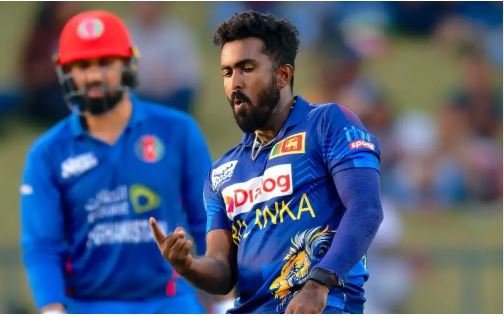
All things considered, the Afghan batsmen’ performance was discouraging as they were unable to capitalize on a string of strong starts. Afghanistan were ready to atone for their subpar batting display in the previous game when Gurbaz hit Madushanka for four straight boundaries in the opening over of the encounter. However, Sri Lanka successfully contained the visitors, allowing just 65 runs to be scored in the first powerplay.
Madushanka’s unusual lack of control was compensated for during this period by Wellalage and Madushan, who combined to give up just 23 runs. The bowlers were also helped by some good ground fielding, exemplified by Avishka’s superb pick-up and throw to remove Ibrahim Zadran; Asalanka’s rare field blunder of dropping the ball in the slips off Gurbaz’s following delivery was also helpful.
Hashmatullah Shahidi, the Afghan captain, had discussed the necessity for greater partnerships prior to the game, and Afghanistan delivered in this regard. There were partnerships of 57, 58, and 57 for the second, fourth, and fifth wickets, respectively, after an opening stand of 39. However, it was in making the most of these platforms that they fell short.
Despite his quick start, Gurbaz was unable to maintain his scoring pace and fell for a sweeping fall, which was bowled around his legs, for a final, laborious 48 off 57. Shahidi trailed closely behind, nudging a Dananjaya googly to make a mistake.
Rahmat and Omarzai were reunited as a result, and they set out to rebuild. They scored at a rate slightly less than six runs per over between the 20th and 30th overs, but just when they could have been trying to pick up speed, Rahmat got trapped leg before attempting to sweep Wellalage.
Afghanistan was not stopped by this, but it did postpone any possible time of acceleration. Between the 30th and 40th overs, Omarzai and Ikram Alikhil went on to put together the third fifty-plus partnership of the innings, but just as Afghanistan were about to step it up, Sri Lanka struck again. A delivery from Wellalage that tore back in from far outside off to clip the outside of the stump caught Alikhil off guard.
With just 42 runs conceded from the 40th over onwards, Sri Lanka hardly allowed the opposition a sniff from this point on. During this time, Madushan, Asitha, and Dananjaya were very noticeable. The two fast bowlers shared the final five wickets between them to end the Afghan innings.